Add a brand new Vista appearance to your Windows XP
So you want to have Windows Vista, but you don't want to give up Windows XP yet and – of course - you don't want to spend a single cent on it. Believe it or not, we have the solution!
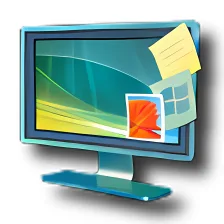
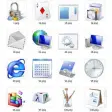
The answer to your prayers is called Vistamizer and it's a complete theme that will transform your current Windows XP system into a brand new Vista with all the 3D effects, transparencies, shiny icons and other eye candy. Don't worry, Vistamizer is just a Vista disguise for XP; the system core files and backbone will still be XP.
After trying a few Vista themes for XP, I was really glad to find Vistamizer, just because it's so easy to install! Unlike other similar tools, which demand external applications, third-party libraries and other strange elements, Vistamizer includes just about everything you need to have it up and running in no time. Installing it is a question of pressing on the "Next" button a few times, rebooting and you're done. Uninstallation is also very easy: as the program creates a restoration point, you won't have any problems to go back to the good ol' XP if you ever grow tired of Vista's style.
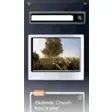
Vistamizer lets you select exactly which elements to install and which ones not. The list includes not only Vista graphical elements, but also some extra apps that reproduce Vista's features such as the sidebar, the toolbat tooltips or the 3D effect to switch between running applications. Note that if you want to uninstall any of these later on, you'll have to open the Control Panel and start the Vistamizer uninstalling process, as there's no visual interface from which to manage installed components.
On the downside, I noticed some icons don't show properly, for instance in the Start menu and My Documents folder. But in my opinion these are just minor flaws in a full featured theme that can transform Windows XP into Vista in a couple of clicks.
Vistamizer is one of the best Vista themes for Windows XP available today: it's very easy to install, lets you choose what elements and apps should be included and the final output is pretty much the closest you can get to Vista in Windows XP.
Display error dialogs when copying fixedTheme now available for 48px iconsDefault cursor is replaced
Changes
Display error dialogs when copying fixedTheme now available for 48px iconsDefault cursor is replaced






















User reviews about VistaMizer
by Anonymous
virus.
It contains trojan. Do not download!!! i dont know y my system always restart when i downloded dont download plz.if u know how to uninstall pleace say me dudes More
by Anonymous
i have problem.
how to uninstal VistaMizer 3.3.0.0 please if you can quick replies to my reply.................................
by Anonymous
TROJAN.
It contains trojan. Do not download!!! there isn neither any thumbnail preview nor any sidebar gadgets. Only download if u have a good antivirus. More
by Anonymous
Keylogger???.
When I installed this program, Zemana antilogger warned me when I opened internet explorer that i.e. was trying to log my keystrokes!and could not verify microsoft corp'also my antivirus after reboot advised me there was an error on start up. why is this? apart from these problems it seems to be a great theme! More
by Anonymous
This works man!!!!.
Even though there are many vista themes and transformations available on the web, this by far is the most brilliant work i have seen. I had tried an earlier version which had the transparency effect, sidebar, 3D flip and lots of cool stuff and drained my ram like anything.. And this ones by far the best with minimum bugs and great looks.I had read a complaint about vistamizer slowing down pc's with pc tool software like threatfire, spydoctor etc. it happened to me too. I had threatfire installed and after installing vistamizer my pc slowed down so much that it took over a minute to open a folder. After removing threatfire my pc's back to life.(is it a bug or something??)Now It works just fine with its new cool vista looks!!! Pros:
Does not drain your ram
Stunning looks
Great feel
:D
Cons:
Well...... nothing except it hangs with pc tools softwares.. :( More
by Anonymous
I have tried them all. This one is the Best..
What I like is that it all Works. When you need ram It's There. "That and I love Me's some Free Stuff"...
Pros:
it's very easy to use.
Cons:
Needs more adjustability. something for me to play with... LOL More